
A new home for help — and for your ideas
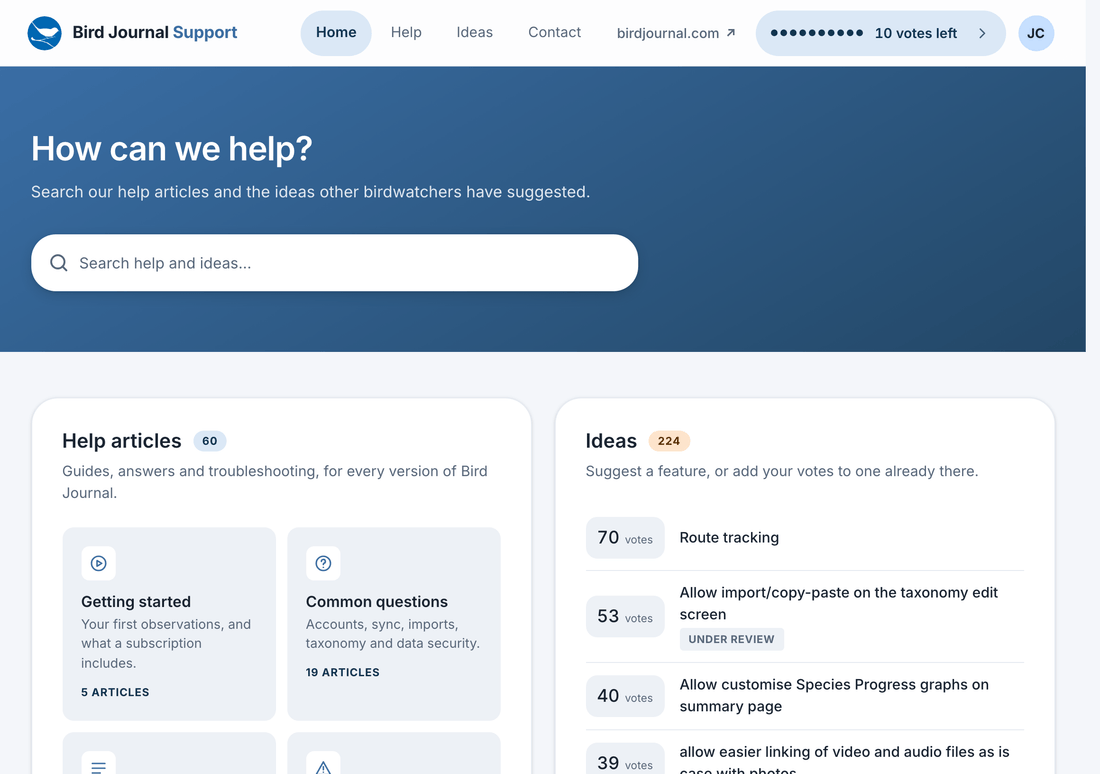
support.birdjournal.com has been rebuilt from the ground up. Same address, brand-new site — and everything that was on the old one came with it: every help article, every idea you’ve suggested, every comment and every vote.
Why we rebuilt it
The old support site ran on UserVoice, and it served us well for well over a decade. But it had stopped moving. The interface hadn’t been meaningfully updated in years and had come to feel dated next to everything else we make, and it was awkward on a phone — which is where a great many of you read it.
The voting also drifted away from what we wanted. Somewhere along the way it grew an “how important is this to you?” rating that we never asked for and never found useful, on top of the votes themselves.
And then there was the thing we heard most often: to say anything at all, you had to create a UserVoice account — another sign-up, another password, for the sole purpose of telling us what you’d like Bird Journal to do next. That was always one hurdle too many.
Built fresh, in the language of the apps
So we’ve built our own, from scratch. It wears the same Material 3 design as the rebuilt mobile screens, so it feels of a piece with the rest of Bird Journal — clean, quick, generous with space, and properly at home on a phone as well as a laptop.
One account — the one you already have
You now sign in with your Bird Journal account. No separate support account, no second password to keep track of.
To read, you don’t need to sign in at all: every help article and every idea is public. Signing in is only for the things that are yours — posting an idea, adding a comment, and voting.
We’ve also carried over the way the old board handled names. If you used a public display name it’s still the name shown beside your posts, and if you chose to be anonymous, you still are. Those choices were made for good reasons and it wasn’t ours to undo them.
Everything came across
This was the part we were most careful about. Migrated to the new site, in full:
- All 60 help articles, reorganised into a cleaner set of topics.
- All 300 ideas — including the closed ones — with their statuses intact: under review, planned, started, completed and declined.
- Every one of the 385 comments, with their original dates.
- More than 2,000 votes, at their true weights.
Wherever we could match it to a Bird Journal account, it’s still yours: your ideas show as posted by you, your comments are attributed to you, and your votes still count as votes you’ve cast.
Old links still work, too. Every address on the old support site — the ones in your bookmarks, in our emails and in Google’s index — still lands on the right page here.
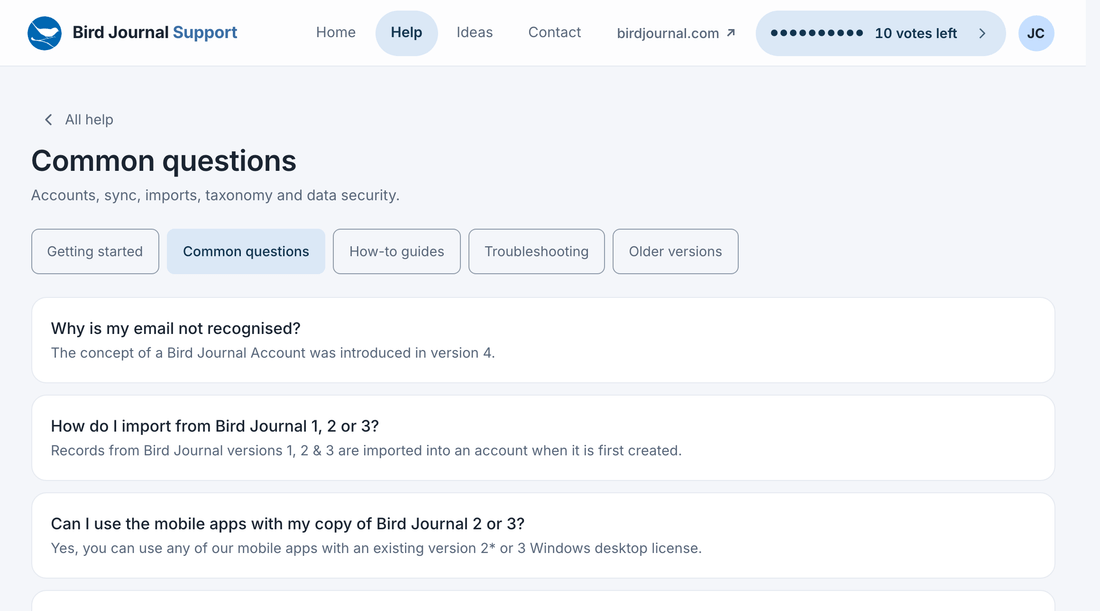
Keeping an article up to date is now a quick job for us rather than a chore, so expect them to be a good deal more current from here on — and expect more of them.
One search across the lot
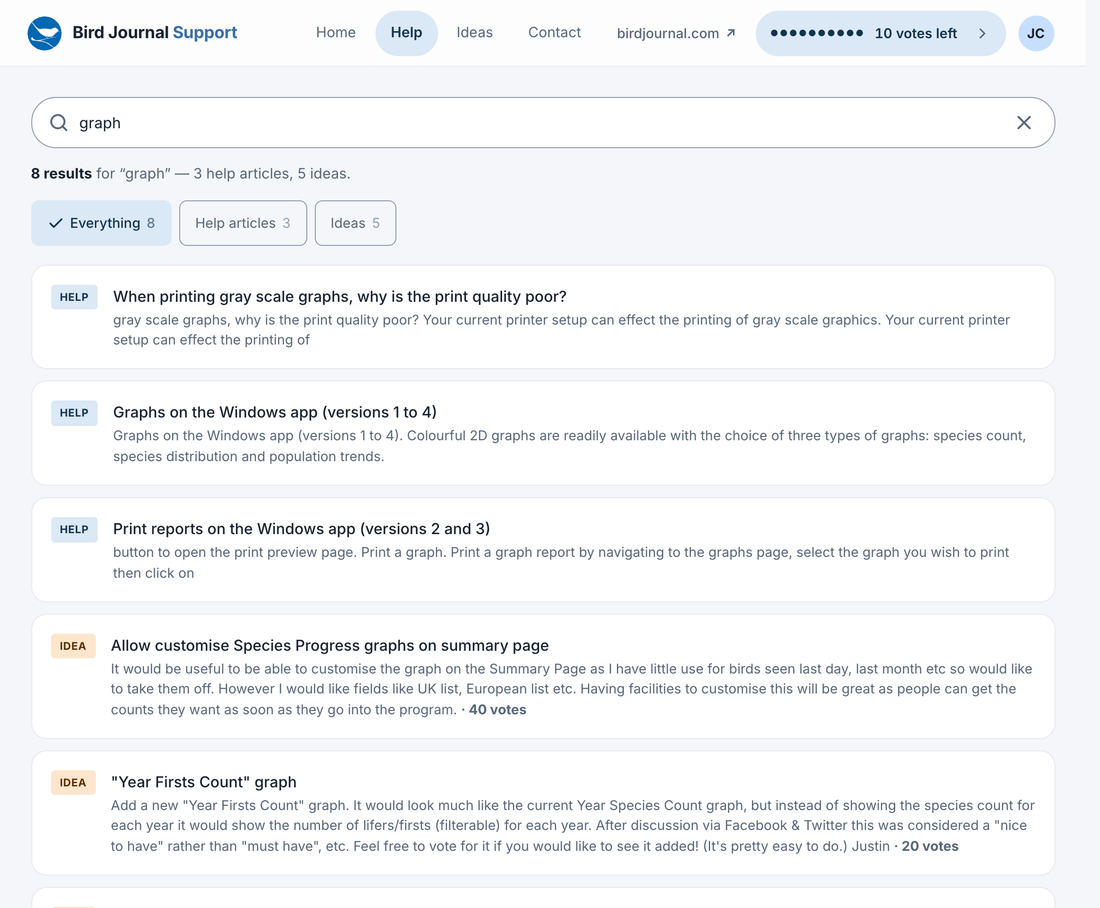
There’s a single search box, and it looks in both halves at once — help articles and ideas together, with a chip to narrow to one or the other. Quite often the answer to “can Bird Journal do X?” is an article; sometimes it’s an idea two hundred people have already voted for. Now you find either without having to guess which you’re looking for.
The ideas board
This is the part we most wanted to get right, and the part we’d most like you to go and use.
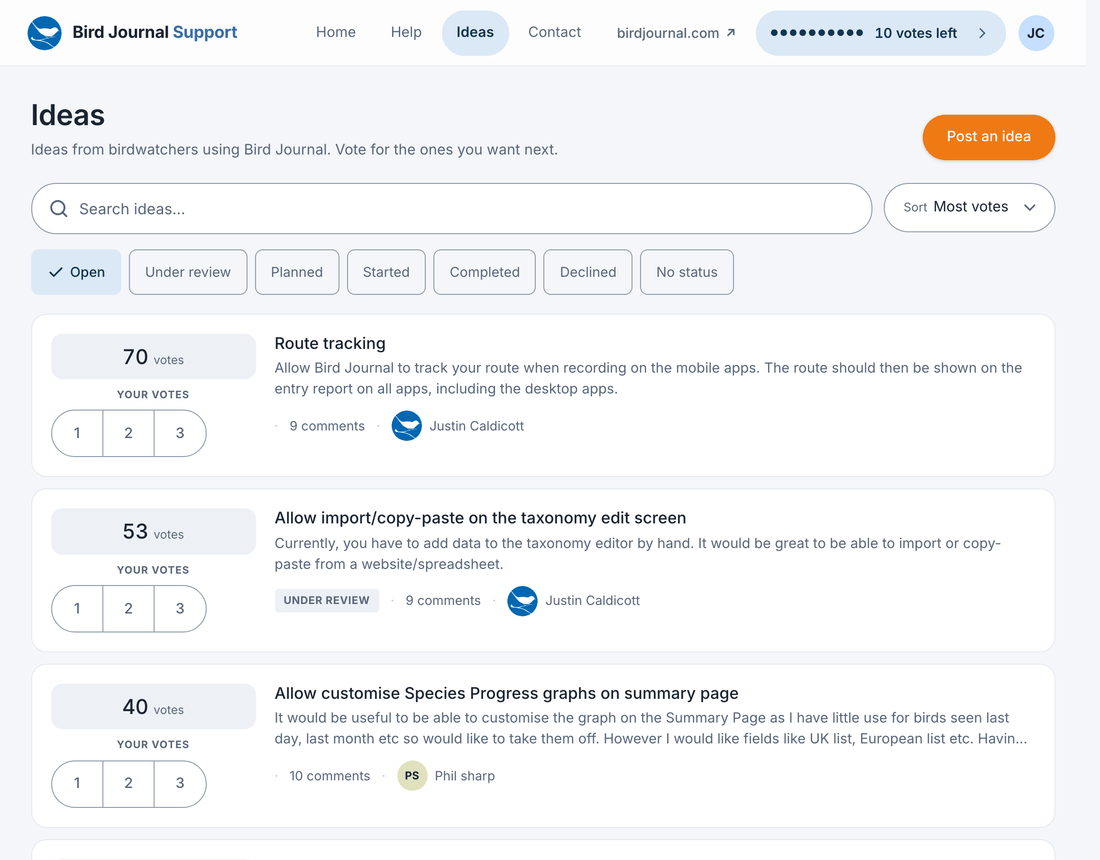
- Browse and filter by status — open, under review, planned, started, completed, declined — and sort by most votes, newest first, or recently discussed.
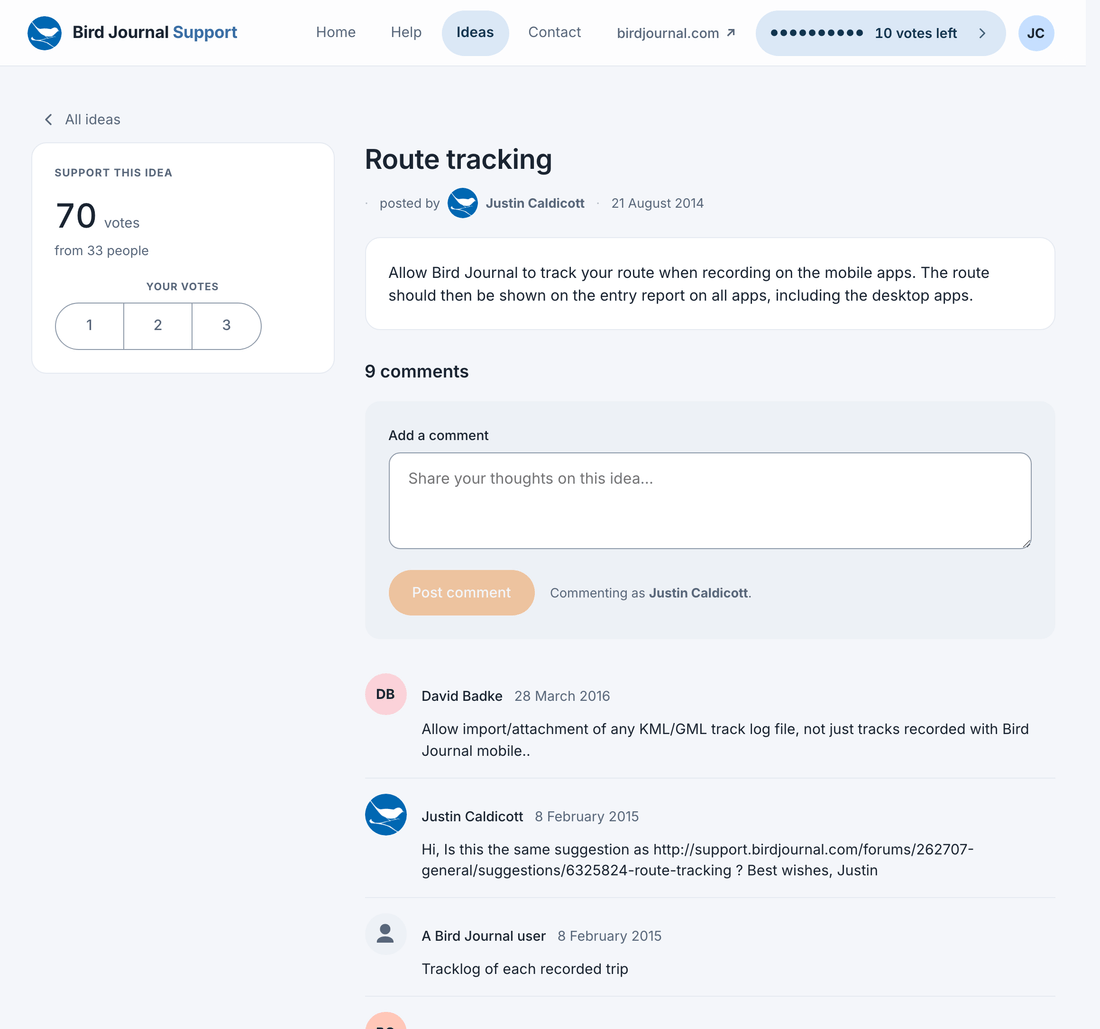
- Vote 1, 2 or 3 on any idea, right from the list, without opening it.
- You have ten votes in total. That’s deliberate: ten votes make you choose. A board where everyone can vote for everything tells us only that all the ideas are quite nice. A board where you have to decide what to spend your ten on tells us what genuinely matters to you — which is far more useful when we’re deciding what to build next.
- You can always see how many you have left, right in the header, wherever you are on the site.
- When an idea is completed, its votes come back to you to spend on something else. So the budget isn’t a one-time allocation — it circulates as we ship.
If you carried more than ten votes across from the old board, don’t worry: all of them still count. You simply can’t add more until some come back to you.
Now tell us what to build next
We’re moving a good deal faster than we were — the mobile recording screens, the apps on iOS and Android, the desktop apps and the website have all landed in the last couple of months. That makes what’s on the ideas board matter more than it ever has: it’s the list we work from.
So please do take a look. Spend your ten votes. Add a comment to an idea that’s nearly what you want but not quite. And if the thing you’re after isn’t there, post it — some of the best things in Bird Journal started life as somebody’s suggestion on that board.