Route Tracking
Route tracking has been the most-voted idea on our ideas board for a long time: 70 votes, and requests going back to 2014. You’ve asked for the way you actually walked, not just the places you stopped, and for the distance worked out for you rather than estimated and typed in.
As of today, Bird Journal keeps your route.
When we added a map to every entry in September, we drew the line between your observations dashed, because it only shows the order you recorded them in. We said a real recorded route would one day sit under the same stops as a solid line. That’s what you’ll now see.
Live Input records it
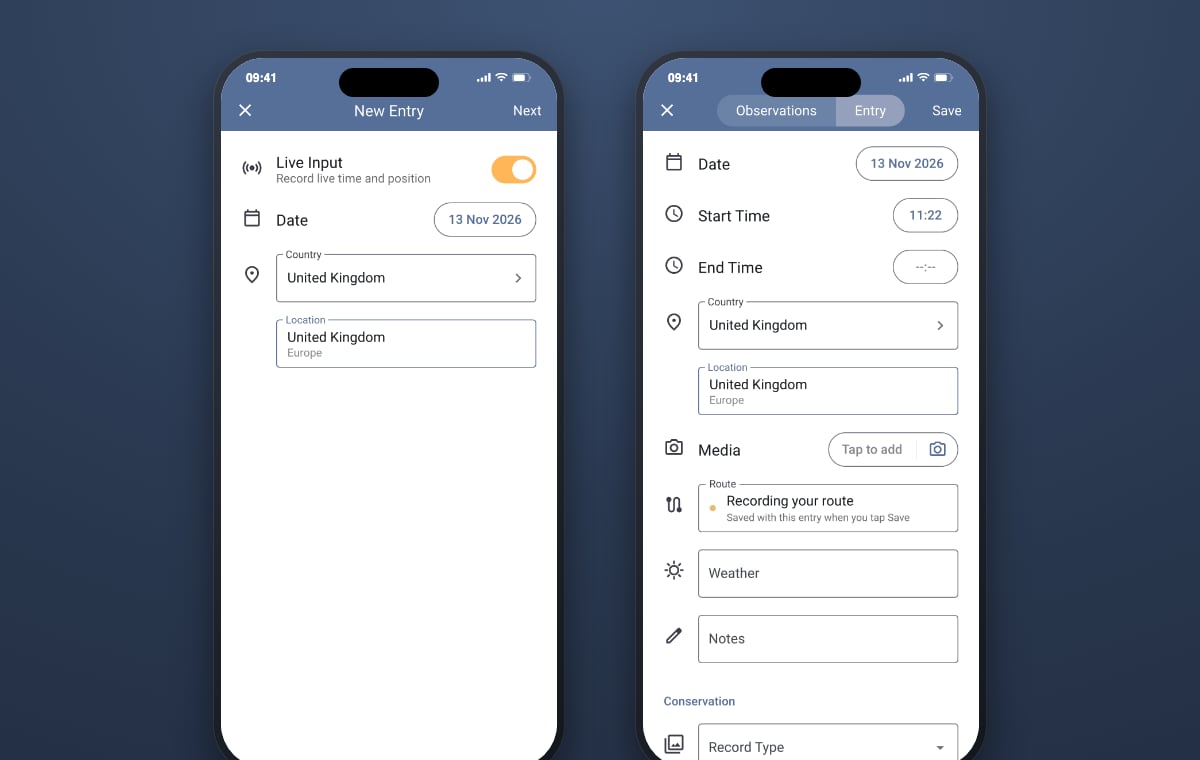
There’s nothing new to start or stop. If you record with Live Input on, Bird Journal now also keeps the route you walk. Recording starts when you tap Next on the New Entry screen and finishes when you tap Save, and the route is saved with the entry.
On the Entry tab you’ll find a new Route field, under Media. While you’re out it reads Recording your route, so you can see it’s working.
If you open an entry from earlier today with Live Input on and carry on walking, the new stretch is added to the route that’s already there. Live Input is only offered for an entry dated today, since it records today’s walk.
In your pocket, for hours
A route is only useful if it keeps going while the phone is in your pocket, the screen is locked and you’re using other apps. Now it does.
- On iPhone, the blue pill around the clock shows that Bird Journal is using your location. Tap it to get back to the app.
- On Android, a quiet notification reads Live Input is on while you’re recording. It makes no sound, and tapping it takes you back.
Location access is the same as Live Input has always asked for. On Android 13 and later, Bird Journal also asks once whether it may show notifications, so the Live Input notification can appear. Keep precise location on, though, because approximate positions are too rough to draw a route from. If you leave Live Input on and forget about it, Bird Journal stops following you once the app has been out of sight for six hours, so a forgotten session won’t run your battery down.
If the app is closed while you’re out, or your phone closes it, the route so far is kept. When you open Bird Journal again, Resume Editing carries on from there, and the stretch it missed shows as a gap.
On your entry, on every device
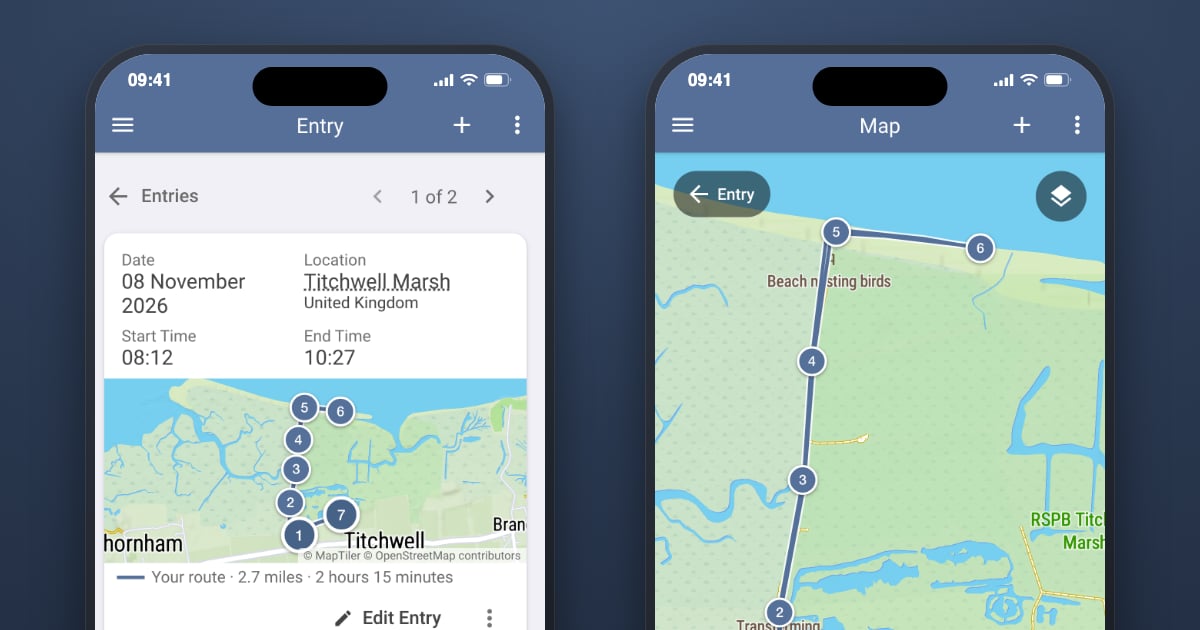
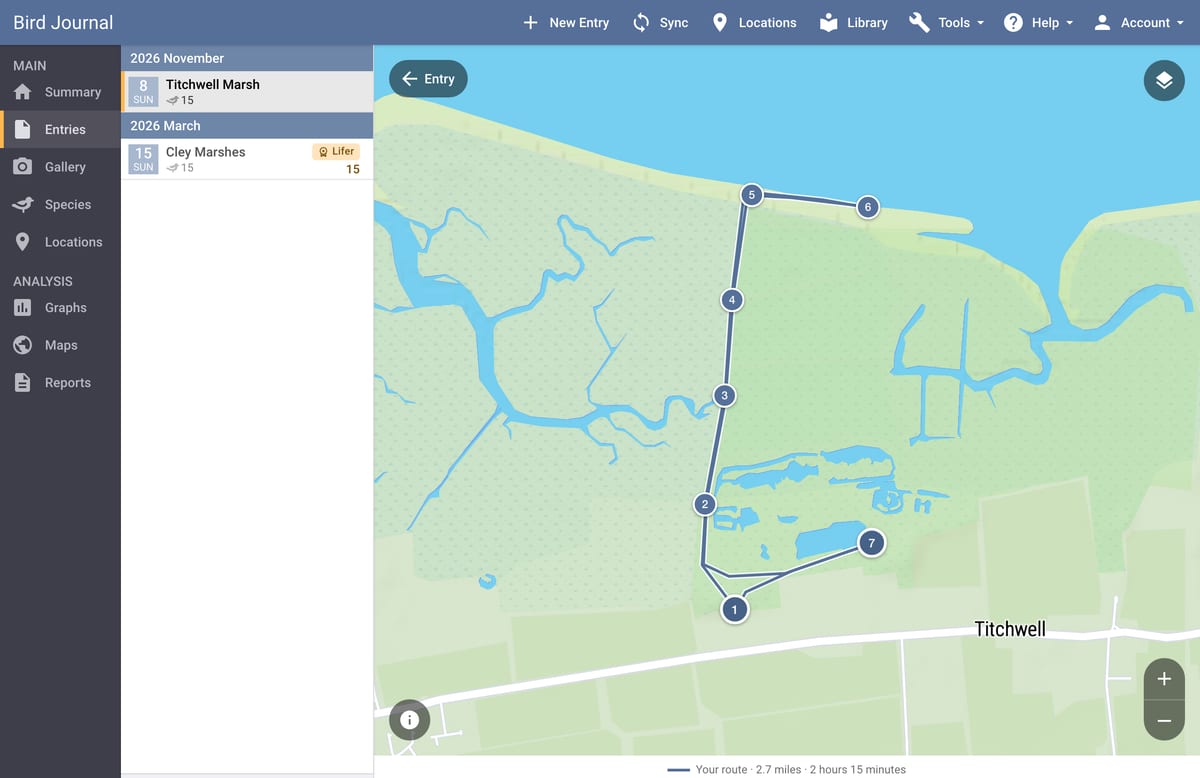
Once you’ve saved, your route is drawn on the entry’s map as a solid line, with its start and end marked and your observations as numbered stops along it. The caption gives the distance and how long you were walking, such as Your route · 2.7 miles · 2 hours 15 minutes. Tap the map to open it full screen, and tap a stop to see what you recorded there and how far into the route it was.
If the signal dropped, or you stopped recording and started again, the break is drawn as a thin dashed line, so the map never claims you walked where it didn’t record you.
Routes are recorded on iPhone and Android, and you’ll see them everywhere: on Mac, Windows and the web too, with the big map beside your list of entries.
Trim it, remove it, or add one from a file
Changes to a route are made the same way as any other change to an entry: with Edit Entry.
On a phone, open the Entry tab and tap the Route field. Drag either end in to trim off the walk back to the car or the stretch from your front door. The summary shows how much you’re keeping, and the trimmed ends are removed when you save the entry. Remove takes the route off altogether. On Mac, Windows and the web, the Route field in the Edit Entry dialog opens the same map in a window.
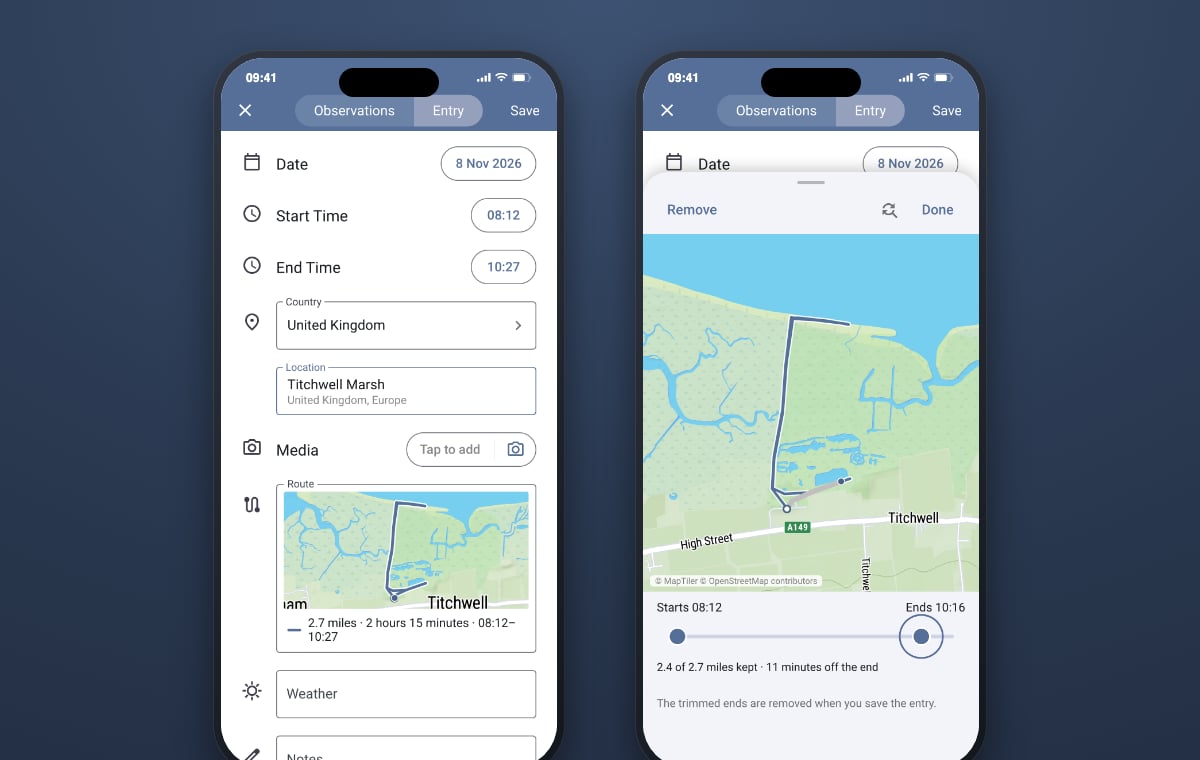
If your route is already on a GPS unit or in another app, you can add it from a GPX, KML or KMZ file. On a phone, tap the empty Route field and choose the file. On a computer, open the Route field, then Choose a file, or drop the file onto it. If the file’s times don’t match the entry’s, Bird Journal will tell you, in case you picked the wrong walk. Once a route is in, Bird Journal keeps its line and times, not the file itself.
To take a route somewhere else, open the entry’s ⋮ menu and choose Export Route (GPX). GPX is the format mapping and fitness apps read.
Your distance, worked out
If you submit to eBird, you’ll know the Effort Distance (Miles) field that travelling counts need. If the entry has a route and that field is empty, Bird Journal now fills it in from the route, and the field says From your route. If you trim the route, the distance changes to match. If you’ve already typed a distance of your own, it’s left alone, with an offer to use the route’s distance instead.
Yours, and only yours
A route that starts at your front door says where you live, so it’s treated like everything else in your journal. It’s part of the entry, synced to your own devices through your own account and nowhere else. If you export a route to share it, trim it first to keep the first and last few hundred metres to yourself. You can also remove a route from any entry at any time. If you’d rather record with no location at all, turning Live Input off still does that, as it always has.
Getting it
Route tracking is turned on for everyone from today. You’ll need the latest version of Bird Journal:
- Mac 5.23.32 or later
- Windows 5.18.29 or later
- iPhone and iPad 5.31.6 or later
- Android 5.63.6 or later
- Bird Journal Web is always up to date
If you’ve updated for sounds and documents, you’re already set. If not, it’s worth updating every device you use before you record your first route. Routes are stored in the same newer form as sounds, so once your journal holds one, any device on an older version will say Update Required and stop syncing until it’s updated. Nothing is lost, and updating sorts it straight away.
Tell us how you get on
Thank you to everyone who voted for this and wrote in over the years. We’d love to hear where you take it, and what you’d like a route to do next. There are feedback options built into the app under the Help menu, and the support site is always open.