
Guides
There’s a lot in Bird Journal, and most of it you learn by poking around, or by writing to us. Help pages can describe a screen, but it’s much easier to learn something when you see it done.
So Bird Journal now has guides. Each one shows you a single task on the app’s own screens, a step at a time, so you can watch how it’s done before you try it yourself.
What a guide is
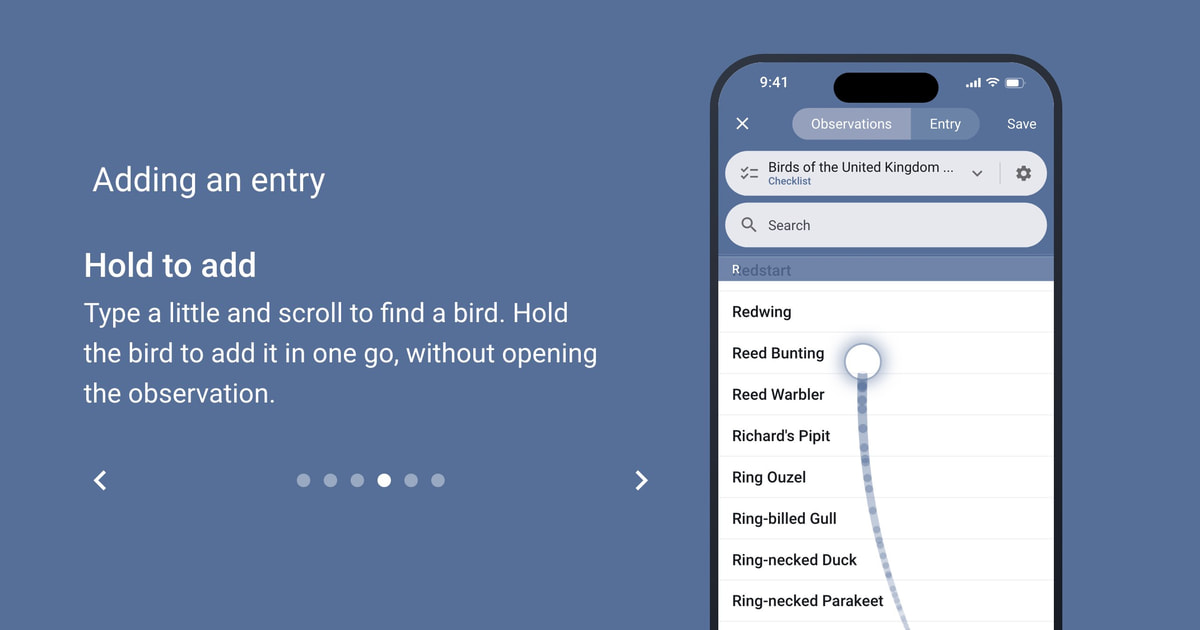
A guide plays the real screens inside a phone, or a window on a computer. A glowing dot stands in for your finger. It moves to each control and presses where you would, with a little pulse at every tap. When the task scrolls a list or swipes, the dot leaves a fading trail behind it, so you can see which way it went. When it holds a row, a ring fills round it until the hold takes. It types into fields letter by letter. On a computer, the pointer does the same with a click. A short caption beneath says what’s happening and why.
Each guide is a few pages long, one part of the task on each. A page plays once and stops, so you can take in where it ended up. Press Replay to watch it again, and use the arrows below it, or swipe, to move between pages.
Nothing a guide does touches your journal. It plays a sample outing, never your own records, so you can watch as many times as you like.
Where to find them
They’re all in Help › Guides. On a phone, Help is under ⋮ in the top bar. The list starts with a picture of each guide and a line about what it covers, and ends with a link to the support site, for anything the guides don’t cover.
You’ll also meet them where you need them. When one of Bird Journal’s info notes explains something, it may end with Watch how, which plays the guide for it. And if you’re new to Bird Journal, the Welcome pages on your phone offer Show me how to get you started.
The first nine
We’ve started with the things you ask us about most:
- Adding an entry: start an entry, say where you were, and add the birds you saw.
- Editing an entry: change a count, add a bird you missed, or remove one observation and keep the entry.
- The Library: find the checklists and taxonomies in the Library, what each is for, and add them to your journal.
- Taxonomic Updates: settle the species a taxonomy update lumped or split in your records, and see what it changed by itself.
- Photos: add the photos you took to the birds you saw, and find them again on the entry and in the Gallery.
- Naming species: show scientific names under species names, and use the names birds go by where you are.
- Importing records: bring in records from a spreadsheet or another app, and match their species.
- Your own locations: add your own locations within the built-in ones, filed in their county or region.
- Lists and firsts: see your life list, year list and the firsts each entry brings.
All nine play in the phone and tablet apps. Adding an entry, Editing an entry and Photos show the screen you record on in those apps, so on Mac, Windows and the web you’ll find the other six, played the way they work there, with a mouse or with a finger.
There will be more. Tell us which task you’d most like a guide for.
Getting it
The guides are in the latest versions of Bird Journal on Mac, Windows, Android and the web, and they’re coming to iPhone and iPad with the next update there. If you don’t see Help › Guides, update your app.
We’d love to hear how you get on with them, and what you’d like a guide for next. There are feedback options built into the app under the Help menu, and the support site is always open.